Tesla Service Mode: How to Open It and What to Run
By the EV Fix Guide team · · 3 min read
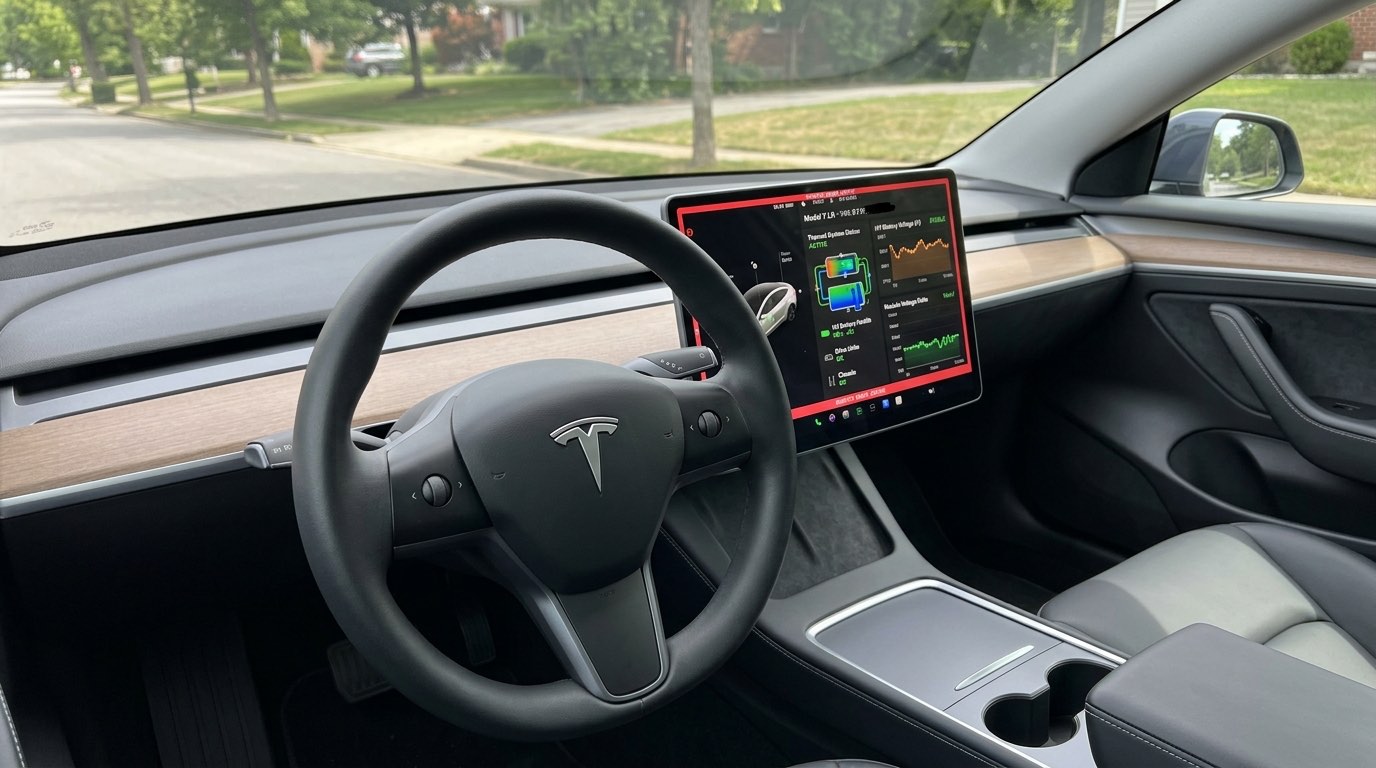
Every Tesla has a factory diagnostics menu built into the touchscreen. Technicians use it to read fault codes, run battery tests and calibrate parts. Owners can open it too, with one word.
This guide covers how to get in, the four routines that are genuinely useful to an owner, and the settings you should leave alone.
In short
- Controls → Software, hold the model name for 3–5 seconds, type service.
- A red border and wrench icon confirm Service Mode is active.
- Most useful: battery health test, thermal purge, window calibration and the alert log.
- Never calibrate safety sensors or change settings while the car is moving.
How to open Service Mode
The steps are the same on Model 3, Model Y, the refreshed Model S and X, and Cybertruck.
- 1Tap the car icon (Controls) at the bottom left of the touchscreen.
- 2Tap Software in the left-hand menu.
- 3Press and hold the large model name (for example "Model Y") under the car graphic for 3 to 5 seconds, until a ripple appears.
- 4In the access code dialog, type service in lowercase and tap OK.
- 5A red border and a wrench icon appear. Service Mode is now active.
Battery health (State of Health) test
This measures your real usable battery capacity and cell balance. It is the best evidence you can have before buying a used Tesla or making a battery warranty claim. See also our guide to battery degradation and range loss.
Go to High Voltage → Battery Health. Plug into a Level 2 AC charger with the battery below 50%. The test runs a full discharge and charge cycle and takes roughly 12 to 20 hours.
Thermal purge and Octovalve air bleed
If the heater or AC underperforms after coolant work, trapped air may be the cause. Go to Thermal → Actions → Thermal System Purge / Air Bleed. The car cycles its pumps and the Octovalve for about 10 minutes.
Still weak afterwards? Read our heat pump and Octovalve guide before accepting a large quote.
Window and liftgate calibration
Windows that drop at the wrong time or a liftgate that will not latch can often be fixed with a recalibration. Go to Closures → Windows / Liftgate → Calibrate, and the car relearns each window’s upper and lower limits. More in our window indexing guide.
The alert log
Diagnostics → Alerts shows current and past fault codes with component names, such as BMS_a027, VCFRONT_a447 or DIR_a100. Write them down or take a photo before you visit a shop. It saves diagnosis time and stops you paying for guesswork.
Tesla Model 3 fixes & recalls, by email
One email a month. New fixes, recalls, real prices. Free.
More owner repair stories
- How to Reset a Tesla: Soft Reset, Power Off and 12V RebootThree resets, from 15 seconds to 10 minutes. Start with the lightest one.
- Tesla DIY Tool Kit: What You Need (and What Not to Touch)Torx set, jack pads, trim tools. And the jobs you should never do at home.
- Does an Independent Shop Void Your Tesla Warranty?Short answer: no. Here is what the law says and where the limits are.
- Tesla 12V / 16V Battery Warning: What Owners Replaced and What It CostA 10-minute DIY swap, $85 Tesla batteries, $122 mobile service, Ohmmu lithium warnings and why the newer 16V battery should not be replaced early.
This guide is for information only. High-voltage components (orange cables) can be lethal — leave them to trained technicians. Not affiliated with Tesla, Inc.