Tesla Error Codes Explained: How to Read Any Alert
By the EV Fix Guide team · · 8 min read
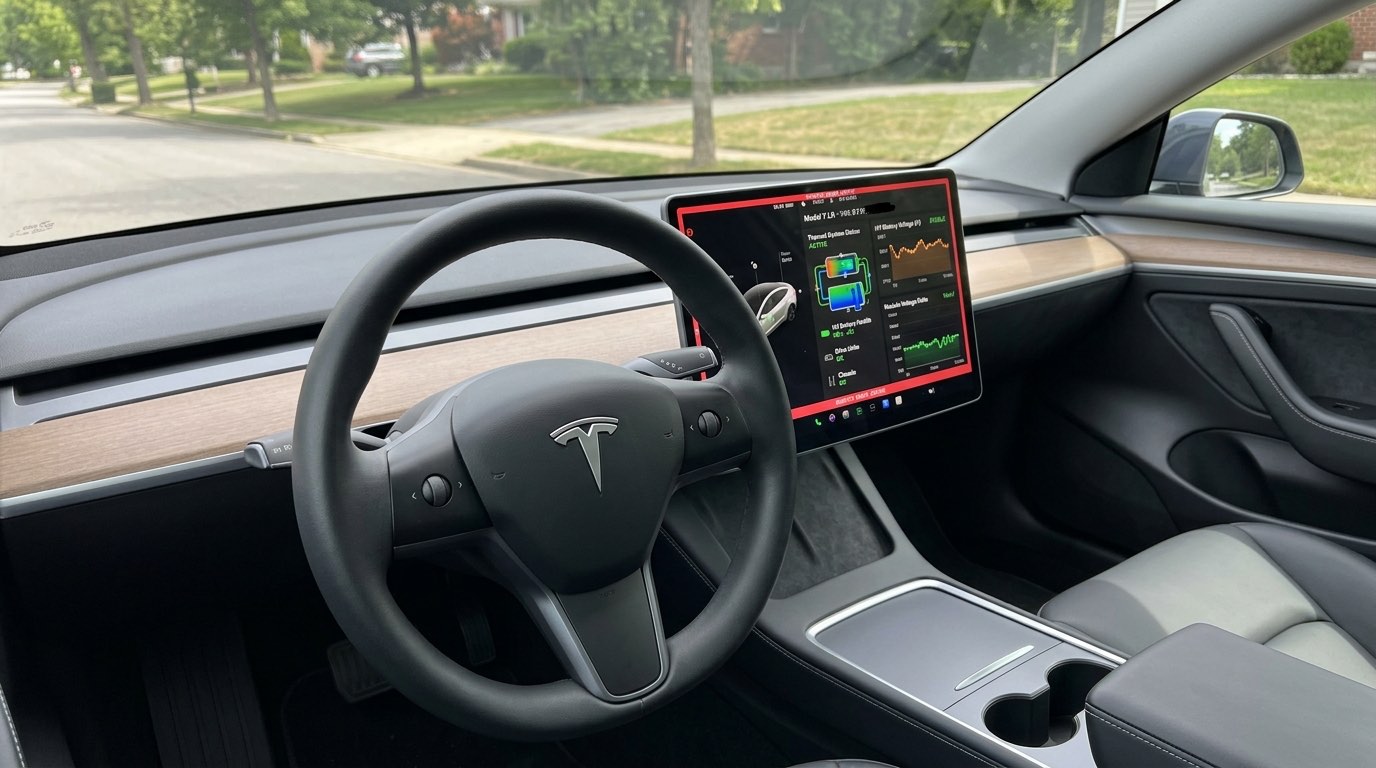
A Tesla error code like BMS_a079 or VCFRONT_a180 is made of two parts: a prefix that names the computer (controller) that raised the alert, and a letter-plus-number that identifies the specific condition. Once you can read the prefix, you know which system is complaining (battery, charging, low-voltage power, drive unit or Autopilot) before you even look the code up.
This guide explains how the codes are built, where to find them on the touchscreen and in Service Mode, how to judge urgency, and ends with a lookup table of every Tesla alert code that has a full repair guide on this site.
In short
- A Tesla alert code has the form PREFIX_xNNN, for example BMS_a079: BMS is the controller, a079 is the condition.
- The prefix tells you the system: BMS is the high-voltage battery, VCFRONT the front body controller and 12V/16V power, CP the charge port, DI the drive inverter.
- Tesla’s Owner’s Manuals for newer cars include a Troubleshooting Alerts section that explains many customer-facing codes.
- Service Mode (Controls → Software, hold the model name, type service) shows the full alert log with codes and timestamps.
- Any alert that says the car may not restart, may shut down or must not be driven should be treated as urgent.
- Photograph the code before you call a shop: it cuts diagnosis time and the bill.
How Tesla error codes are structured
Every Tesla alert code follows the same pattern: a controller prefix, an underscore, a lowercase letter and a three-digit number. In BMS_a079, “BMS” is the Battery Management System, “a” is the alert class and “079” is the specific condition. Some alerts that share a root cause carry neighboring numbers, such as PCS_a016 and PCS_a019, or BMS_a067 and BMS_a068.
The same number can mean different things under different prefixes. CP_a079 (a frozen charge port latch) has nothing to do with BMS_a079 (charging capped at 50%). Always read the full code, prefix included.
What the prefixes mean (BMS, VCFRONT, CP, DI and more)
The prefix names the electronic control unit that detected the problem. These are the prefixes owners see most often. The expansions are the names Tesla and Tesla technicians commonly use; Tesla does not publish one official glossary, so treat the less common ones as a guide rather than gospel.
| Prefix | System | What it usually involves |
|---|---|---|
| BMS | Battery Management System | High-voltage battery health, isolation, charge limits |
| VCFRONT | Front vehicle controller | Low-voltage (12V/16V) power, coolant level, front body functions |
| VCLEFT / VCRIGHT | Left and right body controllers | Doors, windows, seats and lights on that side |
| PCS | Power Conversion System | Onboard AC charger and DC-DC converter that charges the 12V/16V battery |
| CP | Charge port | Charge port latch, inlet, cable detection and charger communication |
| UMC | Universal Mobile Connector | The portable Mobile Connector and the wall outlet feeding it |
| DI / DIR / DIF | Drive inverter (rear / front) | Motors, inverters and gearboxes of the drive units |
| APP | Autopilot computer | Cameras, Autosteer, cruise control and other driver assistance |
| ESP | Electronic stability system | Brakes, stability control, brake assist |
| TAS | Suspension controller | Air suspension and adaptive damping (models that have it) |
| UI | Touchscreen (user interface) | Infotainment, connectivity and software |
| THC | Thermal controller | Heat pump, coolant loops, cabin and battery heating |
Common Tesla alert prefixes. Not every prefix exists on every model.
What do the letters a, w, f and u mean in Tesla codes?
The lowercase letter after the underscore marks the class of alert, but Tesla does not publish an official definition of each letter, so the following is how the codes are generally read rather than a Tesla specification. “a” is by far the most common and appears on the customer-facing alerts in Tesla’s Owner’s Manuals, such as BMS_a079 and CP_a054. “w” appears on warnings such as APP_w207 (Autosteer unavailable) and APP_w304 (camera blocked). “f” and “u” codes, such as BMS_f107 and BMS_u029, usually show up in the Service Mode log and are generally treated as lower-level fault or internal diagnostic entries.
In practice, the letter matters less than the message text and the prefix. Judge urgency by what the car tells you to do (“OK to drive”, “Schedule service”, “Vehicle may not restart”), not by the letter.
Where to read Tesla error codes
There are three places to find a Tesla alert, from easiest to most detailed.
- Touchscreen notifications: active alerts appear as a pop-up and in the notifications list (the bell icon). Tapping an alert usually shows its title, a short explanation and, on recent software, the code itself.
- Owner’s Manual: Tesla’s online manuals for Model 3, Model Y and newer cars include a Troubleshooting Alerts section that lists many codes with what the car is doing and what Tesla recommends.
- Service Mode alert log: Controls → Software, press and hold the model name, type service, then open the alerts or diagnostics panel. It lists current and past codes with timestamps. Our Service Mode guide covers the steps and what not to touch.
- Tesla app: when you book service in the app, Tesla’s technicians can see the car’s alerts remotely, and the app sometimes shows recent alerts alongside the request. It is not a full code reader.
How urgent is a Tesla alert?
Most Tesla alerts are informational or point to the charging equipment rather than the car. A smaller group signals a real fault that can leave you stranded. Use this rule of thumb.
- Pull over safely and call roadside: alerts that say the vehicle may shut down, cannot drive or that braking or steering is reduced, for example VCFRONT_a180.
- Book service within days: alerts that say the car may not restart, charging is capped or performance is limited, such as BMS_a035, BMS_a079 or BMS_a068.
- Book service soon: “schedule service” alerts that will get worse, such as VCFRONT_a182 (low-voltage battery), VCFRONT_a396 (coolant low) and DIR_a251 (gearbox fluid).
- Check your equipment first: most CP, PCS and UMC charging codes are caused by the outlet, cable or charger. Our PCS_a019 guide explains how to tell.
- Usually clears on its own: camera and Autopilot availability alerts (APP_w207, APP_w304) and cold-weather latch alerts (CP_a078, CP_a079).
Tesla error code lookup table
Every code below has a full guide on this site with symptoms, causes, DIY checks and typical repair costs. Find your code, check the urgency, then open the guide.
| Code | What it means | Urgency | Guide |
|---|---|---|---|
| VCFRONT_a180 | Low-voltage system cannot hold voltage; car may shut down | Urgent: stop safely | VCFRONT_a180 guide |
| VCFRONT_a182 | 12V/16V low-voltage battery needs replacing | Service soon | VCFRONT_a182 guide |
| VCFRONT_a192 / a220 | Low-voltage power short; comfort features switched off | Service soon | VCFRONT_a192 guide |
| VCFRONT_a396 | Coolant level low, usually a leak | Service soon | VCFRONT_a396 guide |
| BMS_a079 | Battery fault; charging capped at 50% | Service within days | BMS_a079 guide |
| BMS_a074 | Battery fault; maximum charge level reduced | Service within days | BMS_a074 guide |
| BMS_a067 / a068 | Battery performance limited (range, charging, power) | Service within days | BMS_a067 guide |
| BMS_a035 / a151 | High-voltage isolation fault; car may not restart | Urgent | BMS_a035 guide |
| BMS_u029 / f107 | High-voltage isolation fault in the log | Urgent | BMS_u029 guide |
| PCS_a019 / a016 | AC charging limited or stopped by power quality or onboard charger | Check equipment first | PCS_a019 guide |
| CP_a004 | Charge port cannot recognize the cable | Check equipment first | CP_a004 guide |
| CP_a046 | Car lost communication with the charger | Check equipment first | CP_a046 guide |
| CP_a054 | Charge port latch not engaged | Low | CP_a054 guide |
| CP_a078 / a079 | Charge port latch frozen; cable stuck or rate limited | Low (winter) | CP_a078 guide |
| UMC_a005 | Mobile Connector sees low outlet voltage | Check outlet | UMC_a005 guide |
| DI_a138 | Front motor disabled; driving on rear motor | Service soon | DI_a138 guide |
| DIR_a251 / DIF_a251 | Gearbox fluid inspection needed | Service soon | DIR_a251 guide |
| TAS_a313 / a314 | Adaptive damping degraded or unavailable | Service soon | TAS_a313 guide |
| ESP_a118 | Brake fade compensation activated | Low unless frequent | ESP_a118 guide |
| APP_w207 / w222 | Autosteer or cruise control unavailable | Low | APP_w207 guide |
| APP_w304 | Camera blocked or blinded | Low | APP_w304 guide |
Urgency is a general guide. Always follow the instruction shown on your touchscreen.
Codes that usually trace back to the 12V/16V battery
A weak low-voltage battery causes more confusing Tesla alerts than almost anything else. VCFRONT_a180, VCFRONT_a182 and VCFRONT_a192 often appear together, sometimes with random camera, door or screen glitches. Replacing the low-voltage battery is one of the cheaper Tesla repairs: the site’s 12V/16V battery guide puts it at roughly $170–$260 at Tesla and $100–$150 at an independent shop. If the alerts continue with a new battery, the DC-DC converter in the PCS is the next suspect.
What to do before you call a shop
- 1Photograph the alert and note the date, mileage, state of charge and outside temperature.
- 2Try the lightest reset that fits the symptom. Our Tesla reset guide explains the three levels.
- 3For charging codes, try a different charger or outlet. If the car charges elsewhere, the fault is the equipment.
- 4Open the Service Mode alert log and note any related codes that appeared at the same time.
- 5Book Tesla service in the app, or find an independent EV shop through our shop finder. Our service options comparison helps you choose.
Frequently asked questions
What does BMS mean on a Tesla error code?
BMS stands for Battery Management System, the controller that monitors the high-voltage battery. BMS codes cover battery health, charge limits and electrical isolation. Some, like BMS_a079 or BMS_a035, need prompt service because they cap charging or may stop the car from restarting. They involve high-voltage parts, so they are never a DIY repair.
How do I see Tesla error codes?
Active alerts appear on the touchscreen and in the notifications list. For the full history, open Service Mode: Controls → Software, press and hold the model name for a few seconds, type service, then open the alerts panel. It lists current and past codes with timestamps. Tesla’s Owner’s Manual also lists many customer-facing codes and what they mean.
Can I keep driving with a Tesla alert?
It depends on the message. Many alerts say “OK to drive” and only limit a feature, such as Autosteer or AC charging. Alerts warning that the car may shut down, may not restart or has reduced braking are urgent: stop somewhere safe and contact Tesla Roadside Assistance. When in doubt, follow the instruction shown on the touchscreen.
Does a Tesla error code mean an expensive repair?
Usually not. Many codes, especially CP, PCS and UMC charging alerts, are caused by the outlet, cable or charger rather than the car. Others are fixed by a reset or a $100–$260 low-voltage battery swap. Battery and drive unit codes can be costly out of warranty, but many are covered by Tesla’s battery and drive unit warranty.
Can an independent shop read Tesla error codes?
Yes. Independent EV shops can read alerts in Service Mode, and many subscribe to Tesla’s Toolbox diagnostic software, which Tesla sells to independent technicians. Bring photos of the codes you saw, because intermittent alerts may have cleared by the time the car reaches the shop.
Full repair guide and cost table
Step-by-step fix, tools and Tesla vs. independent shop vs. DIY prices: Tesla VCFRONT_a180: Electrical System Power Reduced Fix.
Tesla Service $170 - $400 (Low-voltage battery) / $1,500 - $3,000 (PCS / DC-DC repair) · independent shop $100 - $300 (Low-voltage battery) / $800 - $2,000 (PCS repair) · DIY $60 - $200 (Replacement 12V battery, if that is the cause)
Tesla Model 3 fixes & recalls, by email
One email a month. New fixes, recalls, real prices. Free.
More owner repair stories
- Tesla Service Mode: How to Open It and What to RunThe hidden diagnostics menu every Tesla has, and the four tests worth running.
- How to Reset a Tesla: Soft Reset, Power Off and 12V RebootThree resets, from 15 seconds to 10 minutes. Start with the lightest one.
- Tesla DIY Tool Kit: What You Need (and What Not to Touch)Torx set, jack pads, trim tools. And the jobs you should never do at home.
- Does an Independent Shop Void Your Tesla Warranty?Short answer: no. Here is what the law says and where the limits are.
This guide is for information only. High-voltage components (orange cables) can be lethal — leave them to trained technicians. Not affiliated with Tesla, Inc.